

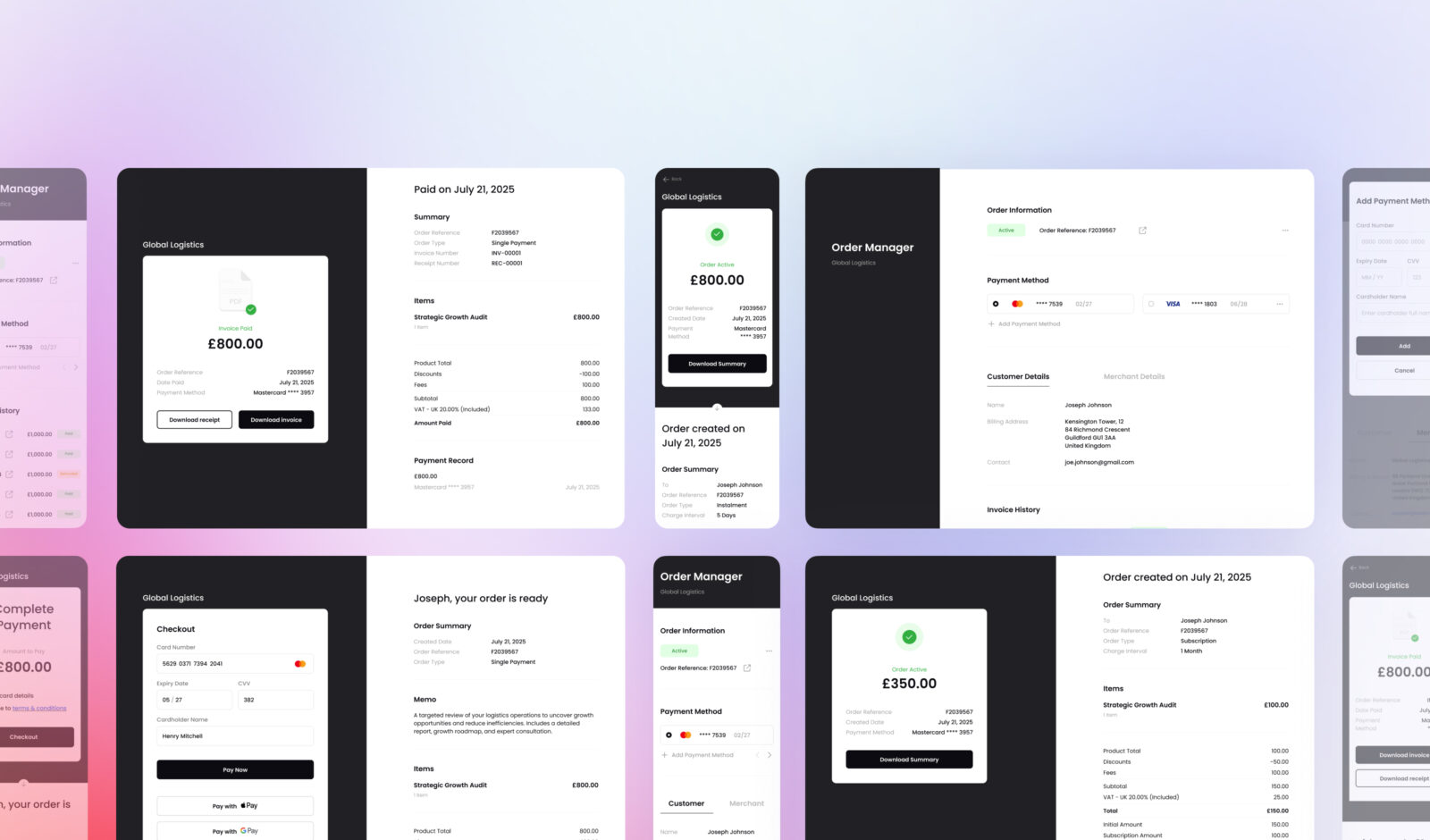
Getting paid on time is only part of the picture. It’s just as important to give your customers a smooth, professional experience from start to finish. We are excited to introduce the BillPro Customer Order Portal, a brand-new tool that lets your clients have instant access to their orders, invoices, receipts, payment options, and more.
Whether you use BillPro for metered billing, subscriptions, one-time payments, or installments, the new Order Portal gives your customers a transparent and secure way to manage everything without contacting the support staff.
And the best part? It is already available in your billing platform and is automatically activated with every new order.
New to BillPro? Sign up for free and try it yourself!
What Is the Order Portal?
The Customer Order Portal is a self-service area where your customers can:
- Access their order through email or SMS links
- Complete payment using a secure checkout
- View real-time order summaries and status updates
- Download PDF invoices, receipts, and credit notes
- Manage stored cards and update payment details
- Cancel subscriptions
This new portal is seamlessly integrated into the BillPro billing platform. Once you create an order, your customer receives a personalised link, and everything else flows naturally from there.
For businesses using subscription billing, recurring invoicing, or one-off payments, the portal improves the post-checkout experience and reduces friction throughout every stage of the billing cycle.
How It Works – A Step-by-Step Experience
Here’s what the typical customer experience looks like:
- You create an order in BillPro.
- Your customer receives an email or SMS with a “Proceed to Checkout” button. You can also just show them a QR code or send them a link to access the payment link.
- They either register a card or make a payment after seeing their order details and clicking the link.
- After the successful payment, they are able to manage their purchase in the Order Portal.
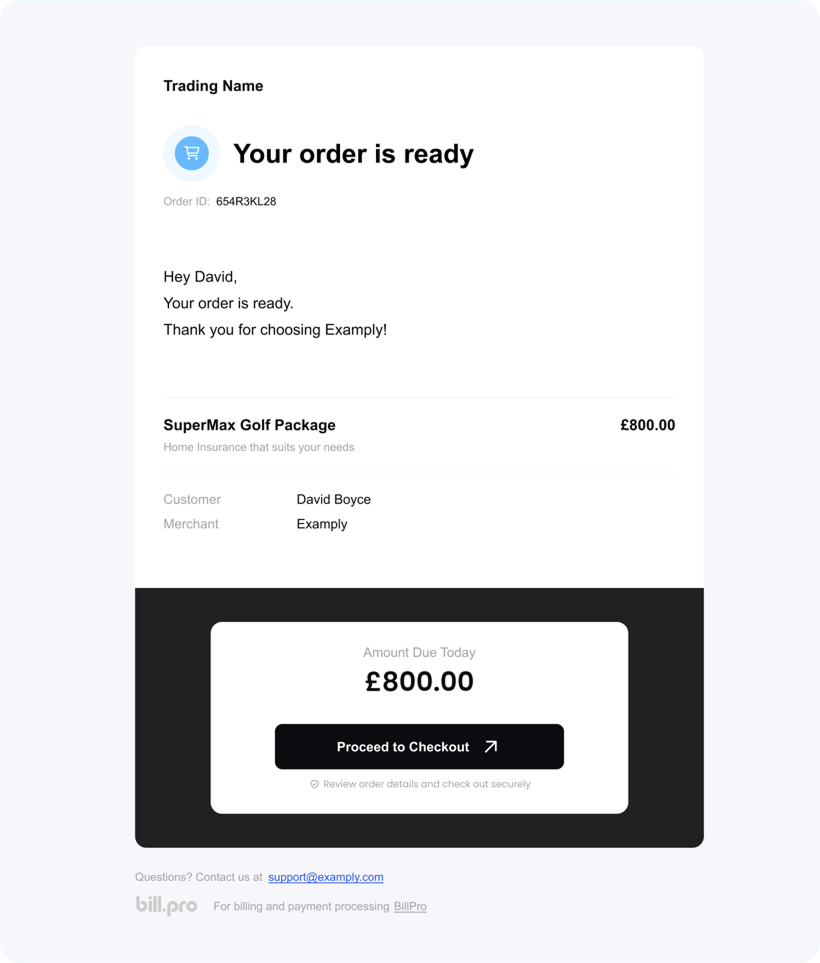
The checkout process is safe, quick, and responsive to mobile devices. Once the payment is confirmed or the card is saved, the customer sees a detailed order summary, including payment status, amounts, and invoice history.
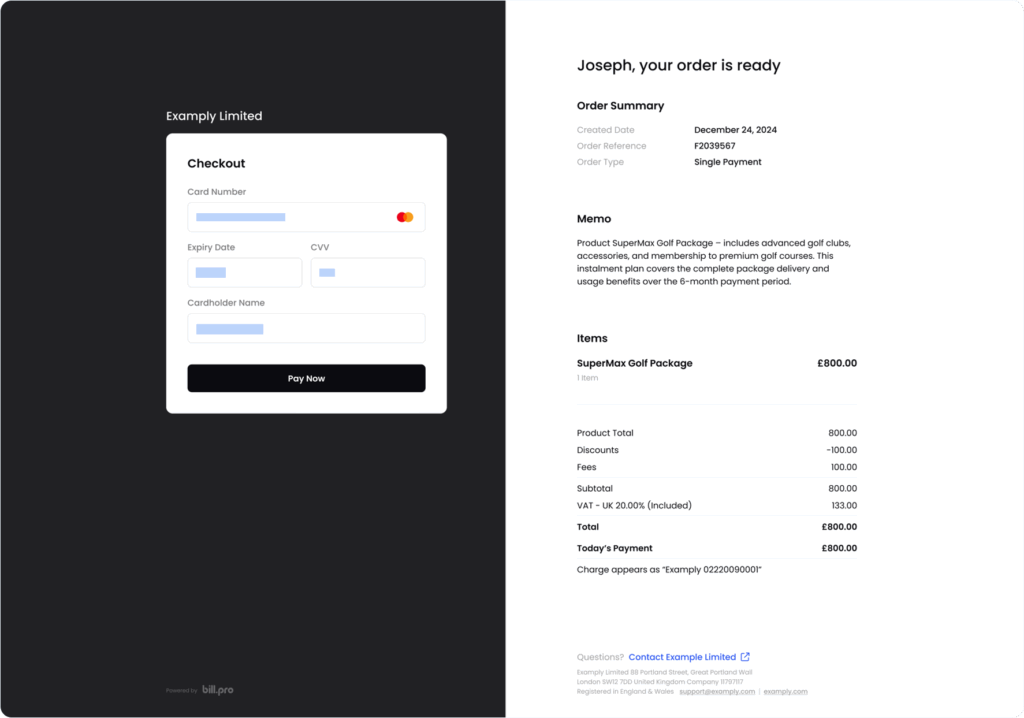
This simple flow helps streamline the payment process, improve customer satisfaction, and reduce failed transactions.
Single Payment Orders – Transparent and Tidy
If you’re using BillPro for one-off payments, the order portal makes life easier for your customers. After the payment has been made:
- The order is marked as complete.
- The customer sees a clear breakdown of what was paid and when.
- They can view the full order history, including all past invoices, receipts, and credit notes issued for previous orders.
- PDF documents are ready to download in just one click.
This feature is especially useful for companies that send digital invoices or collect payments for goods, services, or consultations. Customers no longer need to get in touch with your team to obtain proof of payment because they can now log in and download their receipt right away.
It’s a minor tweak that has a significant effect on your customer’s billing experience.
Recurring Payment Orders – Full Visibility, Easy Control
BillPro also powers flexible recurring billing models, such as:
- Subscription billing
- Instalment plans
- Metered or usage-based billing
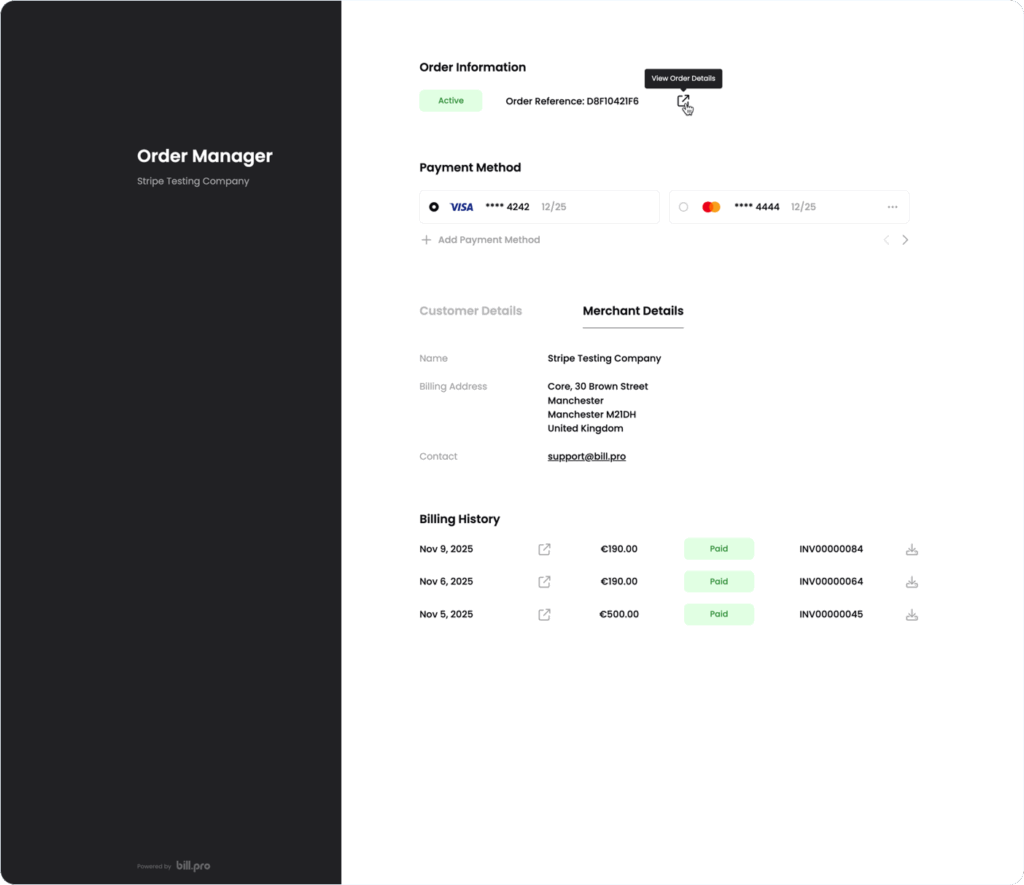
For these order types, the Order Portal provides ongoing visibility. Following a successful initial payment or card registration, your customer has activated their recurring order and they can:
- View order information, such as payment terms and past orders.
- View the payment cards they have stored.
- Track the status of payments (paid, refunded, skipped, etc.).
- Directly cancel a subscription.
This is particularly beneficial for SaaS companies, online service providers, and manufacturers of digital products, where customer retention depends on flexibility and adaptability.
Instead of calling or emailing customer service to cancel or change their cards, customers can use a secure self-service portal.
Customer Card Management – Stay in Control
No more manually following up on declined or expired cards. The portal’s payment method section provides users with all the information they require for managing their cards:
- Add a new payment card securely
- Remove an outdated or unused card
- Get notified before a card expires
- Update details to avoid payment disruptions
This results in fewer missed renewals and unsuccessful payments for businesses. Additionally, it means less time spent pursuing customers for updated information and more efficient operations.
Customers benefit from increased control and the assurance that their billing information is always up to date.
PDF Invoices, Receipts & Credit Notes – Ready to Download
Your customers can instantly access expert, downloadable PDFs through the portal for:
- Invoices
- Receipts
- Credit notes
Customers value having quick access to documents whenever they need them, whether for tax, bookkeeping, or reimbursement purposes. For companies that deal with B2B customers or independent contractors who need to keep track of payments, this is extremely helpful.
BillPro makes managing invoices and receipts easy for both you and your customers.
What Happens with Declined Payments?
BillPro gracefully manages unsuccessful payments. A notification with a link to the portal is automatically sent to the customer if a recurring payment is unsuccessful.
From there, they can:
- View the reason for the decline
- Add or update their card
- Retry the payment immediately
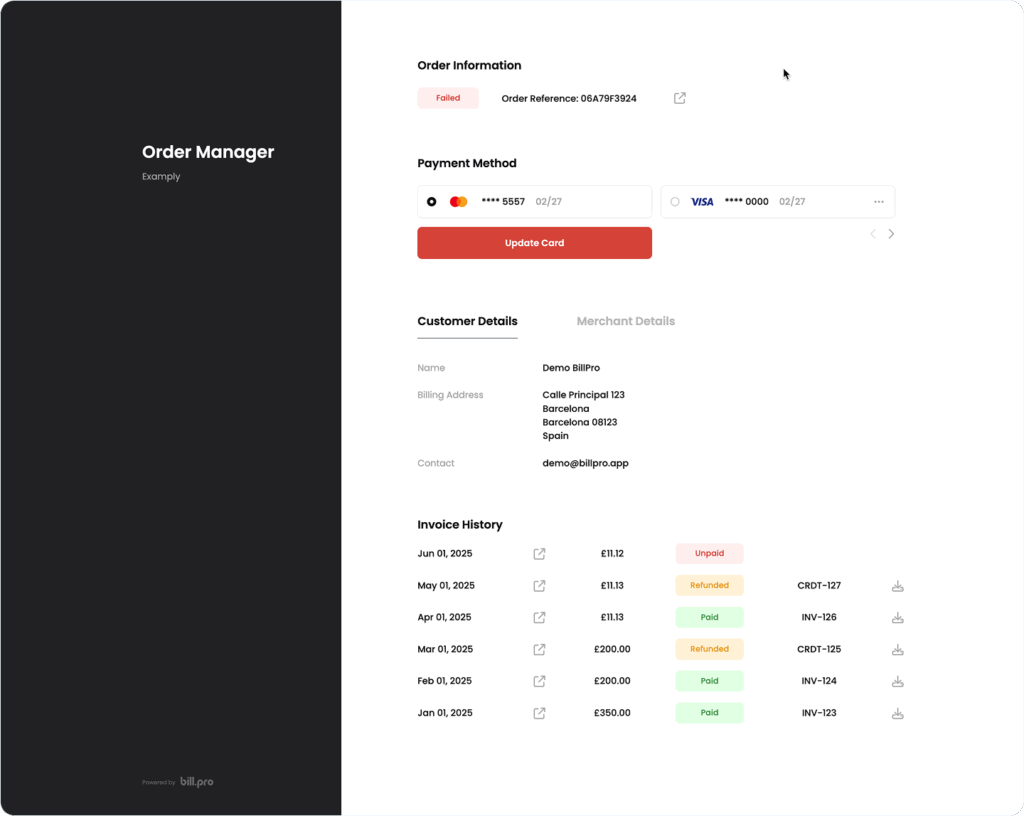
As these steps are fully automated, they help you improve revenue recovery, lower churn, and provide a more efficient billing process.
You maintain your professionalism and helpfulness at all times by proactively assisting your customers in resolving payment-related issues.
Why It Matters – Better Experience, Fewer Support Requests
The BillPro Order Portal is more than just a convenience – it’s an effective tool for improving customer satisfaction and cutting down on overhead.
It will result in fewer support tickets requesting:
- “Can you resend the invoice?”
- “Where can I update my card?”
- “Did my payment go through?”
- “How do I cancel my subscription?”
Rather, everything your customers require is readily available to them in a secure, professional, and understandable manner.
Do you want to go further? See our guide on increasing the number of subscription renewals and our analysis of the seven reasons why payments are late, along with how to automate the process.
Start Using the Order Portal Today
The best aspect? Nothing needs to be configured. All new orders, whether they are subscriptions, metered billing, single payments or instalments, can be accessed through the Customer Order Portal, which is already active on your account.
When it’s easy for your customers to pay, download receipts, and manage how they’re billed, you can send orders with confidence.
Head to docs.bill.pro to read the complete documentation or explore additional features.